To remove a participant:
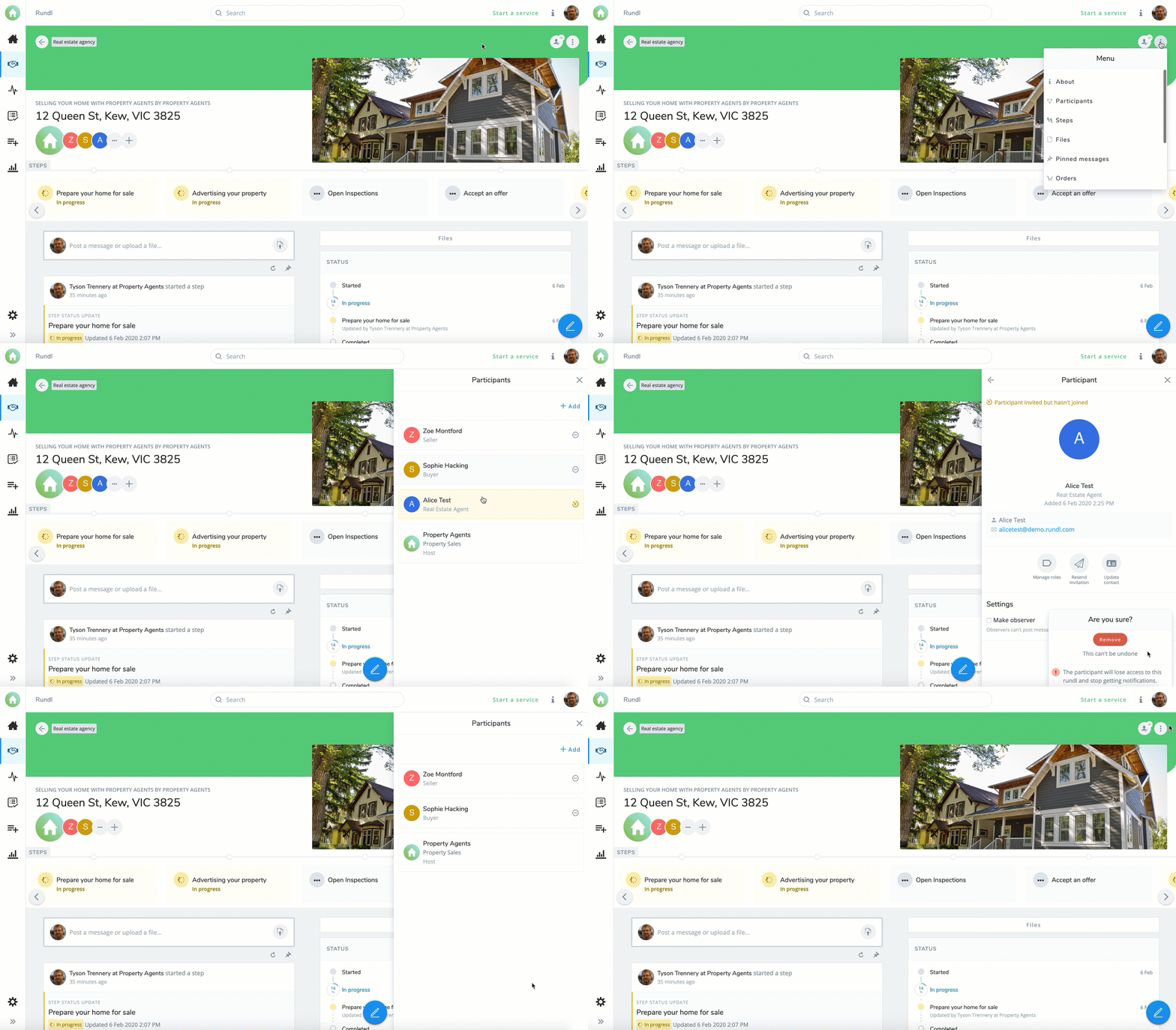
- Open the Menu side bar by clicking the
 Menu button in the top right corner of the Rundl header.
 - Click the
 Participants tab.
 - Choose the participant you wish to remove.
- Alternatively click on the participant's icon in the "participants" section on your dashboard.
- Click
 .
.